Filejoker Premium review 2026 – our real-world test
Last updated: May 2026 – pricing, traffic limits, and features verified.
Quick verdict – is it worth it?
✅What premium removes
- Waiting time (free: 90–120 sec)
- Captcha codes
- Slow throttling – full speed
- Download interruptions (resume support)
What free users suffer
- Under 200 KB/s typical speed
- No resume, no JDownloader
- Only 50 GB storage, tiny traffic
- Captcha & waiting every time
Our take: If you regularly download large files (e.g., multi-part RARs, 4K videos) or use download managers – Premium is clearly worth it. For occasional tiny files, the free version may still be enough.
👉 See current Filejoker Premium plans📌Small observation from our tests: Download speeds vary depending on time of day and your ISP. Premium was consistently much faster than free, but we saw the highest speeds (around 104 MB/s) late at night.
🚀Real download speed – what we measured
Free accounts usually get under 200 KB/s and often drop on larger files. With Premium, we recorded between 50 MB/s and 104 MB/s across different days and ISPs. That’s often 50–500x faster.

One thing we noticed: Even at the lower end (50 MB/s), a 2 GB file finishes in about 40 seconds. Free would take hours or fail.
📦What Filejoker Premium actually gives you
- No waiting & no Captcha – click and download starts instantly. No more solving puzzles.
- Resume broken downloads – crucial for large archives (e.g., 20+ RAR parts). If your connection drops, you don’t restart from zero.
- Full JDownloader 2 / IDM support – queue multiple links, parallel downloads, auto-resume. Free doesn’t work with download managers at all.
- Unlimited storage (free only 50 GB).
- Traffic allowance: 60 GB per 5 days (Premium) or 300 GB per 5 days (VIP).
- Simultaneous downloads – download several files at once.
📊Free vs Premium – side by side
| Feature | Free User | Premium | Premium VIP |
|---|---|---|---|
| Download speed | Heavily capped (under 200 KB/s) | Maximum (50–104 MB/s real) | |
| Waiting time | 90–120 seconds | None | |
| Captcha | Required every download | No | |
| Resume downloads | No | Yes | |
| JDownloader / IDM | No | Full support | |
| Storage space | 50 GB | Unlimited | |
| Traffic per 5 days | Very low (~2 GB) | 60 GB | 300 GB |
| Ads | Yes | No | |
🎯Who should pick which plan? (real scenarios)
Scenario 1 – Multi-part RAR archives (e.g., 20 files, 50 GB total)
Free: nearly impossible – slow speed, no resume, constant Captcha. Would take days and likely fail.
Premium: full speed, resume, JDownloader – finishes in about 30 minutes.

Scenario 2 – Occasional small files (docs, MP3s under 200 MB)
Free: usable but annoying (wait + Captcha). Premium is overkill – save your money.
Scenario 3 – Heavy daily downloader (more than 12 GB/day)
Premium’s 60 GB /5 days = average 12 GB/day. If you exceed that regularly, you need VIP (300 GB /5 days).
💰Pricing – which plan fits you?
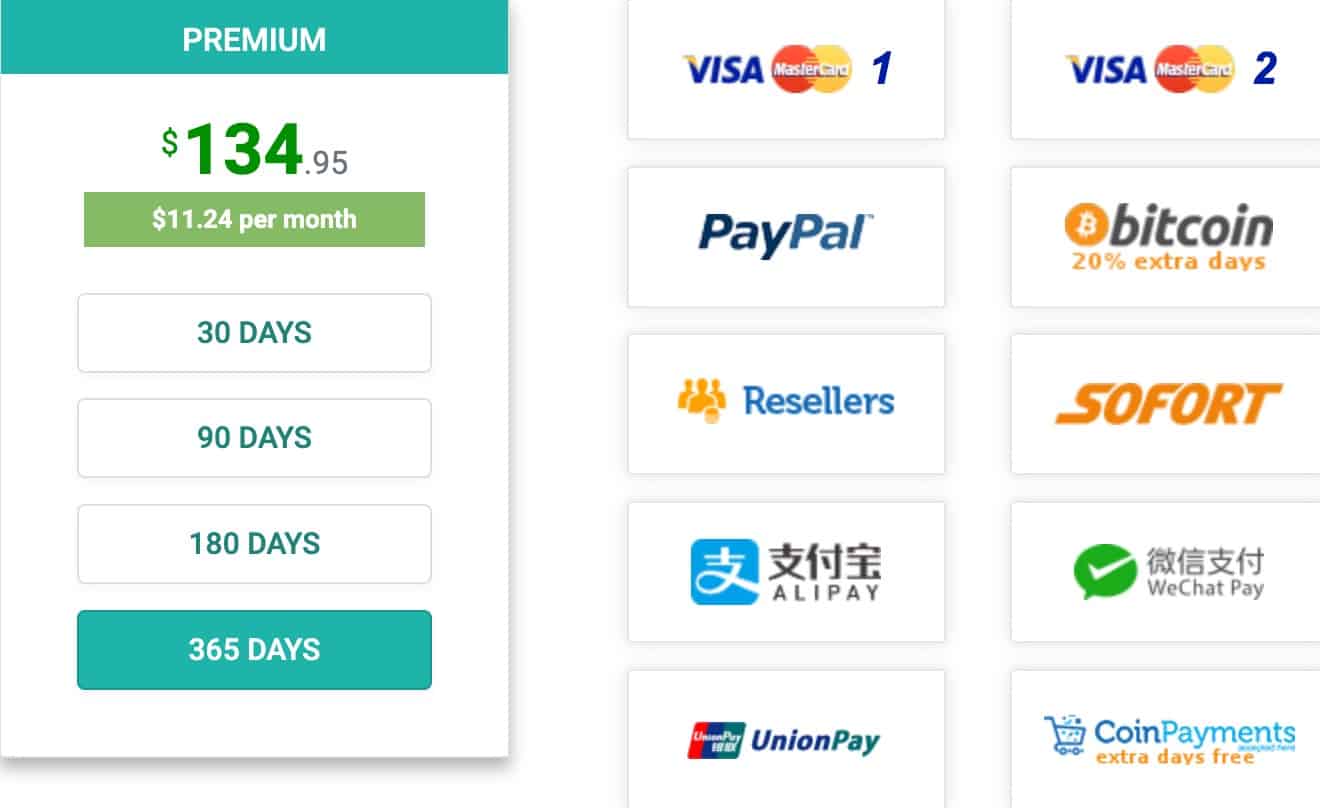
| Plan | 30 days | 90 days | 180 days | 365 days | Traffic/5d |
|---|---|---|---|---|---|
| Premium | $22.95 | $44.95 | $89.95 | $134.95 | 60 GB |
| Premium VIP | $33.95 | $73.95 | $109.95 | $169.95 | 300 GB |
Our recommendation for most users: Premium 365 days gives the lowest monthly cost (~$11.25). Only choose VIP if you consistently need >12 GB per day (e.g., downloading multiple 4K movies or huge software archives daily).
👉 Check official Filejoker VIP traffic limits🤔Who might NOT need Premium
If you only download a handful of small files per week (documents, occasional MP3s, small images), the free version is probably enough – even with the waiting and Captcha. Premium would be wasted money.
❓Frequently asked questions
Does Filejoker Premium work with JDownloader 2?
What’s the difference between Premium and Premium VIP?
Can I resume a broken download with Premium?
Is Filejoker safe? Any virus risk?
How does the traffic reset work?
Ready to skip waiting and Captcha?
Full speed, resume support, JDownloader – start downloading the way it should be.